The Librarian feature of the OB-
This feature can be opened from the File menu or by clicking the Librarian button on the Banks page.
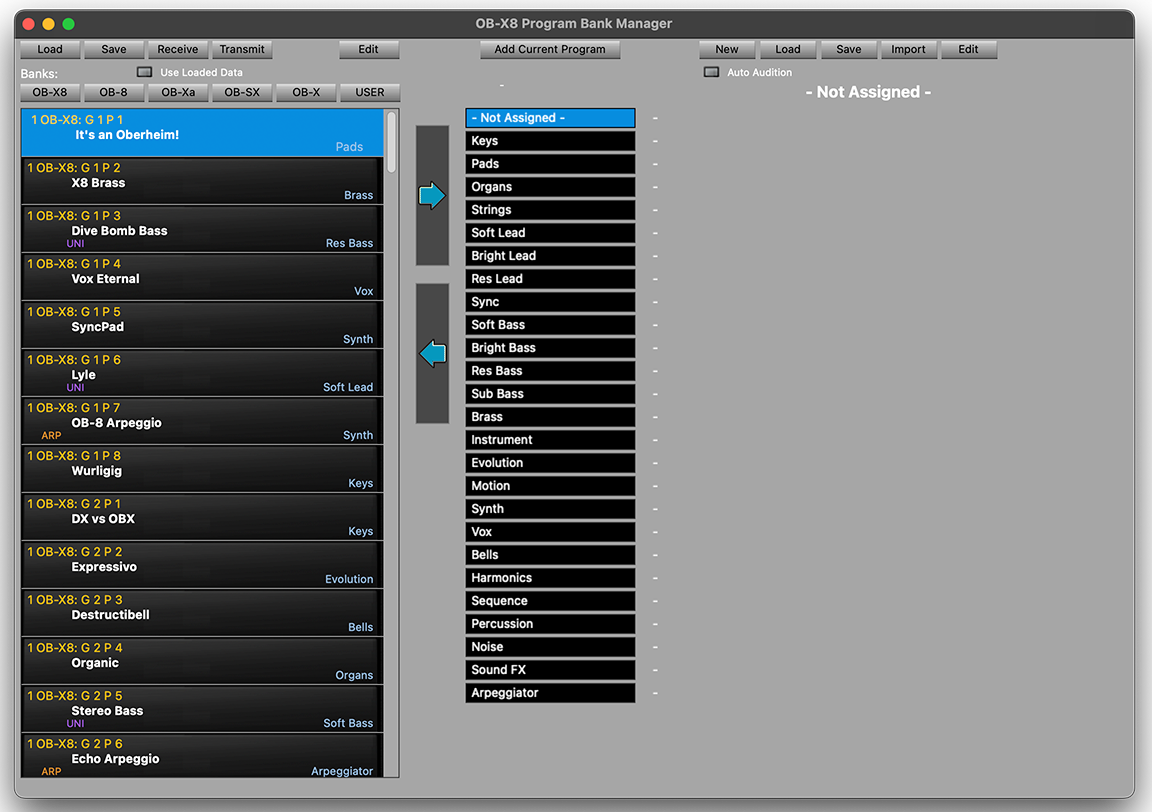
You will be presented with this page…
(Shown is the single voice Librarian. Splits and Double Librarian have slightly different options described below…)
Across the top of the page, these buttons will…
Load -
Save -
Receive -
Transmit -
Edit -
Add current program -
The remaining buttons on the top row will be described in the next section.
Above the Bank window are buttons to select the available banks.
The Bank window shows the name and category of the available programs.
The Right facing arrow transfers the selected programs over to the gathering area.
The Left facing arrow transfers programs selected on the right side back to the bank list and to the synth.
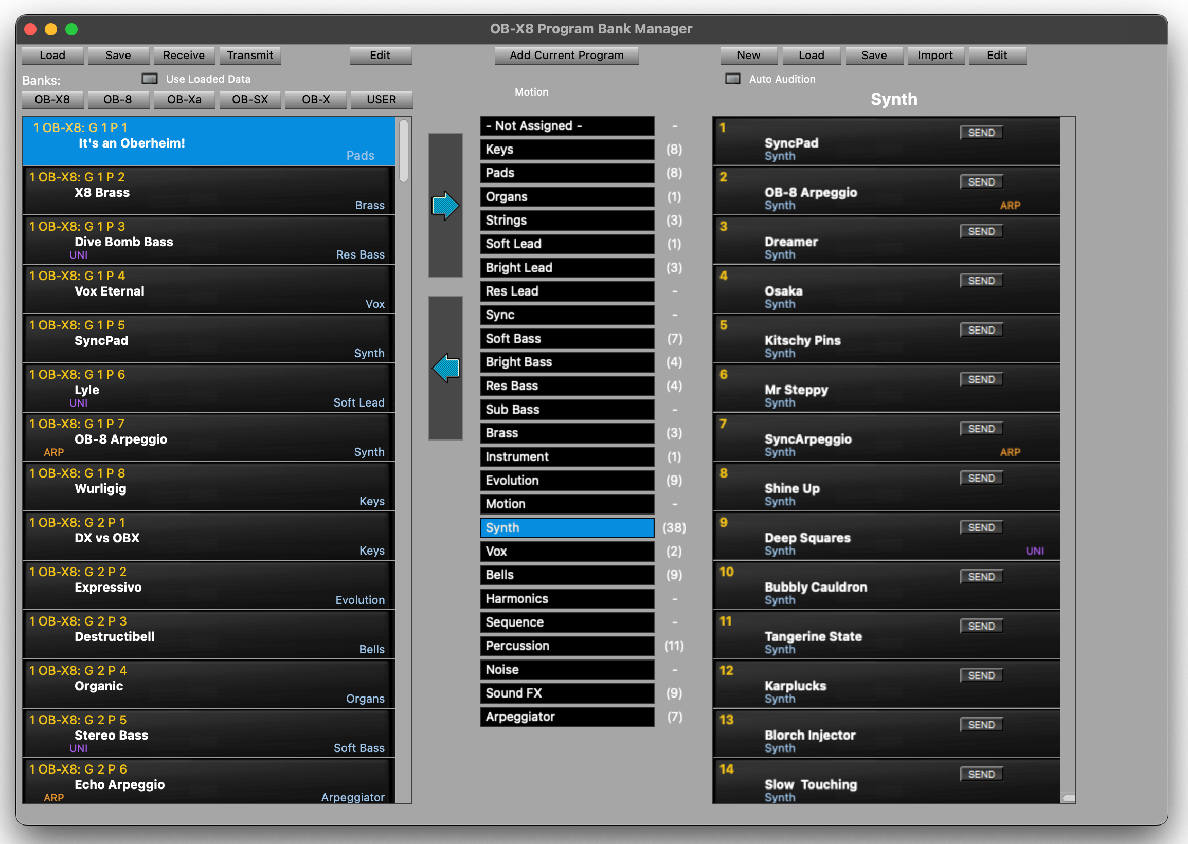
Notice that the transferred programs have been organized into individual banks based on category,
Highlighted in this example is 41 Synth programs.
Let’s look at the top row of buttons that now come into play.
New -
Load -
Save -
Transmit -
New -
Load -
Save -
Transmit -
Clicking the Auto Audition button will allow you to click on any program on the right
side and the program will load into the OB-
By selecting any number of programs in the visible collection in the right hand list and clicking the left facing arrow will send the programs in the list on the right to the synth, starting at the selected program on the left side and overwriting the needed program slots below to complete the transfer.
After selecting programs from the Bank window, they can be sent to the right side of the librarian to be organized.
Multiple programs can be transferred in a single move.
Contiguous programs can be selected by clicking on the first desired program, scrolling to bring the last desired program into view, hold the shift key and click
Non-
Once the desired programs are selected, click the right facing arrow.
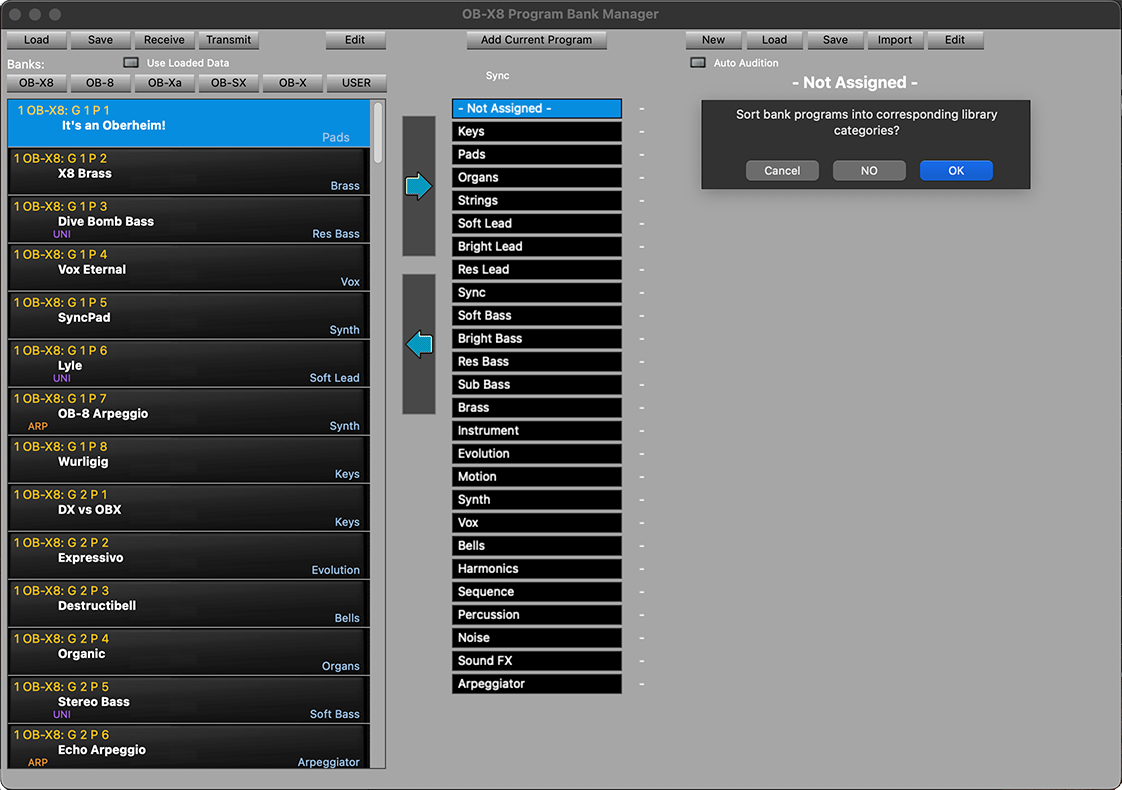
You have the option to split the programs to be tansfered into separated banks by category (by clicking OK), to transfer them into a single unassigned file (by clicking NO) or to cancel the transfer
Shown below are the results of clicking OK
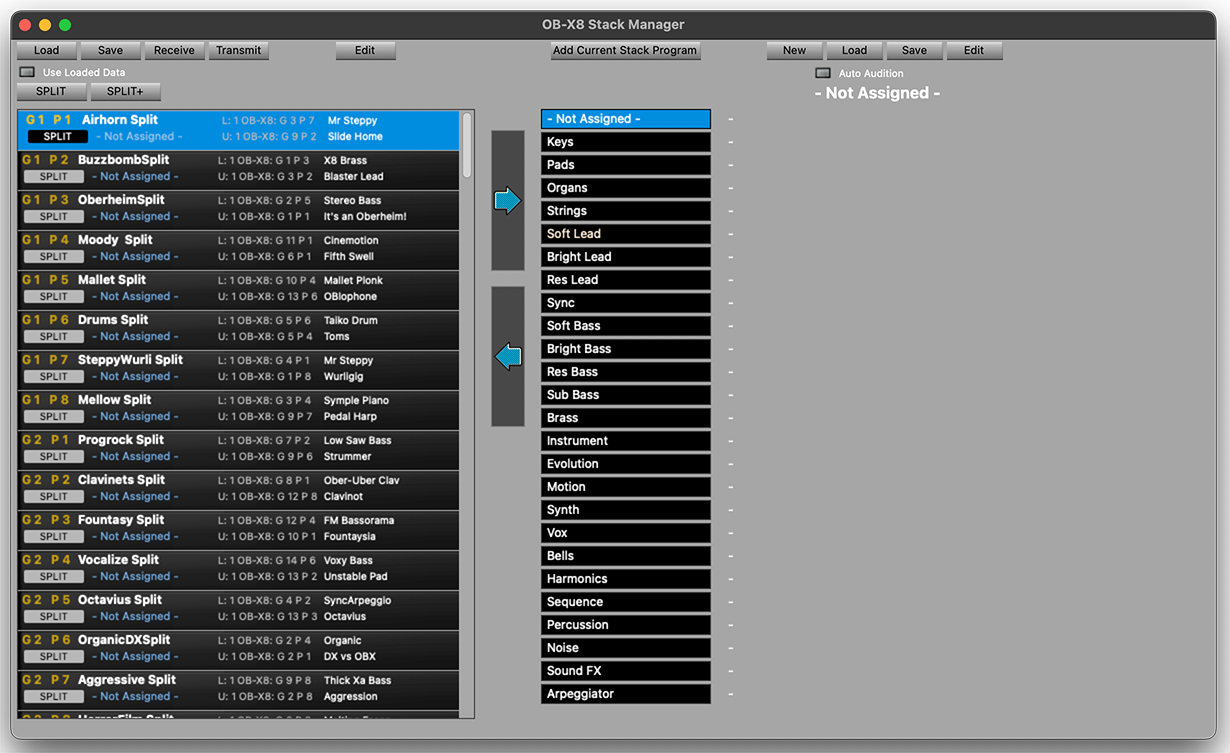
The Stacks version of the Librarian (Splits and Doubles) offers some of the same features with a few differences.
Shown is the Splits Librarian.
You can move split or double programs from the left side over to the right as a way of gathering specific collections.
All saving and loading functions are the same.